
Ascension One
Ascension HealthMedical
4.7314.00 Reviews
- Version
- 4.6.0
- Installs
- 100.00K
- Age Rating
- Everyone
Screenshots
Our Review of Ascension One
 Analysis by Appyee
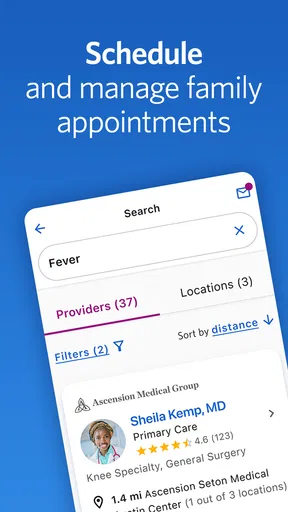
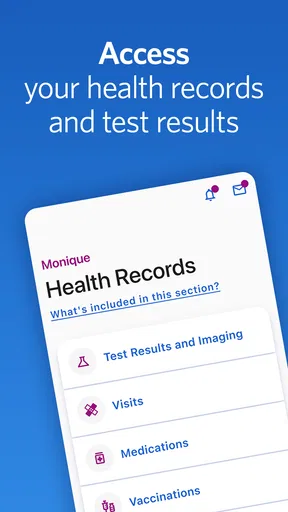
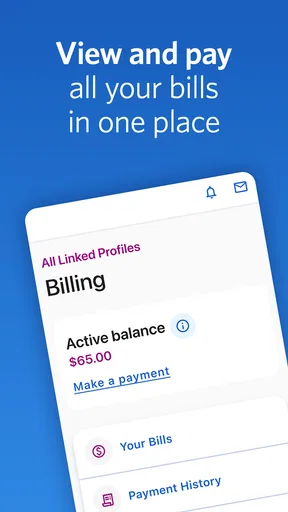
Managing healthcare often means moving between appointments, messages, records, prescriptions, and bills at exactly the moment when you have the least time or energy. I found Ascension One most useful as a single starting point for care connected with Ascension sites. It is a free medical app from Ascension Health, designed to bring several parts of that relationship into one place rather than making me search through unrelated tools.
That focus matters. This is not a general symptom checker, fitness tracker, or emergency-care replacement. It is better understood as a patient-access app: a digital front door for people who already use Ascension services and want a more organized way to manage the practical side of care. The store summary describes it as a way to manage all aspects of care at Ascension sites of care, and that is the right expectation to take into the experience.
The app is rated for Everyone and has passed the early adoption stage, with a 4.7 average from around 5.2 thousand ratings and more than 100 thousand installs. Those figures suggest that it has found a useful audience, although a strong rating should not be mistaken for proof that every hospital, clinic, or patient workflow will feel identical. Healthcare apps are especially dependent on where a person receives care and which services are connected to their account.
From needing care to getting the next task done
I approach Ascension One as a way to turn a healthcare need into a manageable next step, rather than as a shortcut around care itself. In this section, I focus on how that shift can make routine tasks easier to pick up again when life interrupts them. The key is choosing a clear starting point, which leads naturally to how the workflow holds up when several needs arrive at once.
The starting point: one healthcare relationship, many small jobs
My first impression is that Ascension One makes the most sense when I begin with a specific administrative need. I might be preparing for a visit, trying to keep track of a follow-up, checking information connected with treatment, or attempting to deal with a task that would otherwise require a call. Instead of treating each job as a separate problem, I can open the same app and look for the relevant part of my Ascension care experience.
That sounds simple, but it changes how I approach healthcare administration. I do not need to remember which page handled which task or start with a broad web search that may lead to a general information page instead of my personal care details. The app gives me a patient-centered place to begin, which is particularly helpful when I am tired, worried, or helping a family member organize several appointments.
There is an important boundary here. Ascension One is not the right first choice for a medical emergency. If someone has severe symptoms or needs immediate help, the app should not delay emergency services or urgent professional advice. Its value appears after the immediate clinical decision: gathering information, preparing for a visit, following up, and keeping the relationship with Ascension easier to navigate.
Setting up the first step without expecting magic
Any patient portal-style app lives or dies by the first sign-in. I would approach Ascension One with the details used for my Ascension care relationship close at hand and allow time to resolve identity or account questions rather than attempting setup in the middle of a rushed appointment. The app can be convenient once the correct patient connection is in place, but healthcare identity matching is naturally more sensitive than creating an account for a shopping or entertainment app.
This is also where expectations need to stay realistic. A single app does not automatically make every part of a healthcare network feel like one perfectly unified system. Care can involve different locations, departments, clinicians, and administrative teams. If a piece of information seems out of place, I would first check that I am viewing the right patient context and then contact the relevant Ascension office instead of assuming that repeatedly refreshing the screen will solve it.
A practical habit is to complete account preparation before the day of care. I would install the current release, sign in when calm, review the available areas, and make sure I understand where routine tasks are located. Ascension One is currently at version 4.6.0 and requires Android 8.0 or later, so device compatibility is worth checking before relying on it for an upcoming appointment. The app is also available as a free download, which removes the usual purchase barrier, but normal mobile-data or device limitations can still affect how comfortably it fits into a person’s routine.
Following the workflow from appointment preparation to follow-up
Once I have a reason to use the app, I find the most useful approach is to treat it as a sequence rather than a collection of isolated buttons. I start by identifying the next care event: an appointment, a follow-up, a question, or another task connected with an Ascension site. Then I use the relevant information available in the app to prepare, rather than waiting until I am standing at a reception desk or trying to remember details during a consultation.
For an appointment, that preparation can mean checking the details I have already received, reviewing what I need to handle before arriving, and keeping the app available when I need to refer back to the care relationship. The advantage is not that the app replaces the clinic. The advantage is that it gives me a more consistent place to organize the digital part of the visit.
After the visit, the workflow changes. I am no longer trying to arrive prepared; I am trying to understand what happens next. This is where a connected care app can be more valuable than a paper reminder or a browser bookmark. I can return to the same patient environment instead of rebuilding the context from memory. For people managing recurring care, that continuity is more important than a flashy interface.
One non-obvious benefit is the reduction of “where did I see that?” moments. Healthcare information is often scattered across email, printed instructions, phone notes, and separate websites. Even when Ascension One cannot eliminate every handoff, using it as the default place to check first can reduce the number of competing sources. I would still keep personal notes for questions and symptoms, but I would use the app as the anchor for Ascension-related tasks.
The handoffs: where the app helps and where people still matter
Healthcare is full of handoffs. A patient moves from scheduling to a clinic, from a clinician to a follow-up process, and sometimes from one department to another. Ascension One is useful because it gives me a digital thread through some of those transitions. I can begin with a practical task, move toward the care encounter, and return later without treating every stage as a completely separate interaction.
Still, the app cannot replace the people responsible for care. A portal can present information and help me manage communication, but it does not remove the need for a clinician to explain a diagnosis, a pharmacist to clarify medication questions, or an office team to correct an administrative problem. If a message or record needs professional interpretation, I should use the appropriate clinical channel rather than relying on the app interface to provide an answer it was never meant to give.
This distinction is especially important for caregivers. I can see why a family member might want one place to help coordinate care, but access to another person’s health information is not the same as simply sharing a calendar. The safest workflow is to use the access arrangements offered through the healthcare relationship and avoid passing around personal sign-in details. That protects the patient while keeping responsibility clear when several people are involved.
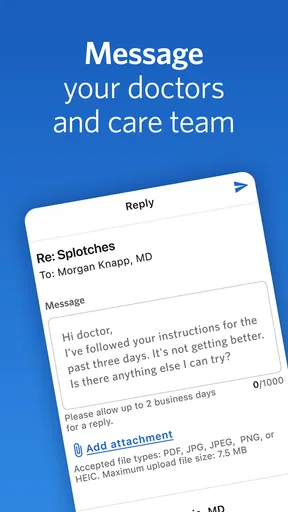
Another useful handoff strategy is to prepare the message before sending it. I would write the main question first, include the relevant appointment or care context, and separate urgent symptoms from routine administrative requests. This makes the communication easier for the receiving team to understand and helps me avoid sending several fragmented messages that each lack the information needed to act.
A realistic everyday scenario
Imagine that I have an upcoming Ascension appointment and a follow-up question afterward. The night before, I open Ascension One to orient myself instead of searching old messages. I check the information connected with the visit, make a short list of questions in my phone, and keep the app ready for the next step. At the clinic, I still speak directly with staff and the clinician; the app supports the encounter rather than replacing it.
Later, when I am back home and remember a detail I need clarified, I return to the same care environment. I can use the appropriate available route for that follow-up instead of guessing which general phone number or website section applies. If the issue is urgent, I change course and seek immediate medical help. If it is routine, the app becomes a more orderly way to continue the administrative or communication thread.
The outcome is modest but meaningful: fewer scattered reminders, less repeated searching, and a clearer sense of what I need to do next. That is the kind of improvement I expect from Ascension One. It does not make healthcare effortless, but it can make the patient’s side of the process less fragmented.
What it does better than the usual alternatives
The usual alternatives are calling the office, using a general browser, keeping paper instructions, or relying on several disconnected digital tools. A phone call may be the best option when the issue is complicated or time-sensitive, but it can be inconvenient for a simple administrative question. A browser can reach public information quickly, yet it may not provide the same patient-specific starting point. Paper remains useful during an appointment, but it is easy to misplace and difficult to update.
Ascension One sits between those options. It is more personal than a public website and less dependent on office hours than a phone call for routine digital tasks. Its strongest advantage is continuity: I can return to the same app before and after care. That makes it particularly suitable for people who already receive care through Ascension and want one familiar place to begin.
It is less compelling for someone whose healthcare is spread across unrelated systems. In that situation, a broader health-record strategy or the individual portals used by each provider may still be necessary. Installing Ascension One will not consolidate records from every organization into one universal view. Its usefulness is tied to the Ascension relationship, so the more often I interact with Ascension sites, the more likely the app is to earn a regular place on my phone.
Where the flow breaks down
The biggest friction point is the unavoidable complexity behind healthcare accounts. If information is delayed, a connection is incomplete, or a task belongs to a different department, the app may feel less like a solution and more like another layer to check. That is not necessarily a design failure; it is a reminder that digital access depends on real clinical and administrative workflows behind the screen.
I also would not choose this app as my only method for handling important care information. Technology can fail, phones can be unavailable, and not every patient is comfortable managing healthcare digitally. I would keep essential appointment details and urgent instructions accessible in another form, especially when traveling or helping someone who may not have reliable device access.
People who prefer speaking with staff for every step may find limited value here. Likewise, someone looking for diagnosis guidance, medication education, symptom triage, or general wellness tracking should look for tools built specifically for those purposes. Ascension One is strongest when the question is, “How do I manage my connection with Ascension?” It is not strongest when the question is, “What does this symptom mean?”
Device age can be another practical consideration. The Android requirement of version 8.0 or later is reasonable, but anyone using an older phone should check compatibility before making the app part of a care plan. Keeping the application updated is sensible as well, since patient-facing software can change its navigation and supported workflows over time. I would not wait until an appointment morning to discover that my device or account needs attention.
Who should use it, and who should skip it?
I would recommend Ascension One to patients who regularly use Ascension sites and want a central place for care-related administration. It is also a sensible option for people who dislike making routine calls, need to revisit information after appointments, or help coordinate care while keeping the patient relationship organized. The free price and Everyone age rating make it easy to try without a financial commitment or an adult-only restriction.
I would be more cautious if my care is mainly outside Ascension, if I need a universal record across multiple health systems, or if I expect the app to provide immediate medical answers. In those cases, the app may be useful as a secondary tool, but it should not become the only system I depend on. A direct conversation with a healthcare professional, an emergency service, or another provider’s patient platform may be the better choice depending on the situation.
My practical advice is to judge it after one complete care cycle rather than after opening it once. Set it up before a visit, use it to prepare, return to it after the encounter, and notice whether it actually reduces searching and repeated explanations. That test reveals more than the download screen because the app’s value comes from continuity across the handoffs, not from any single isolated feature.
My final view after following the full workflow
Ascension One is a focused medical app with a clear role: helping patients manage the practical side of care at Ascension sites. I like it best as a reliable starting point and return point, especially when an appointment or follow-up creates several small tasks. Its strongest contribution is organization, not medical decision-making.
The 4.7 average and growing user base indicate that many people find the approach worthwhile, while the current 4.6.0 release shows that the app is an actively maintained part of Ascension’s digital experience. I would still keep expectations grounded: the smoothness of the journey can depend on the specific care setting, the account connection, and whether the task belongs inside the app’s intended workflow.
If Ascension is already part of your healthcare routine, I think Ascension One is worth trying as your digital care starting point. It can reduce the friction between “I need to deal with this” and “I know what to do next.” If your needs are urgent, highly clinical, or spread across many unrelated providers, use it alongside—not instead of—the professionals and services that handle those situations best.
Verdict
Strengths of Ascension One
- Clear progression systems make long-term goals easy to follow.
- Regular challenges give dedicated players reasons to return.
- The interface is generally easy to navigate after a short learning period.
- Community-focused features can make the experience feel more social.
- Runs well on many modern Android and iOS devices.
Limitations of Ascension One
- Some advanced features may take considerable time or resources to unlock.
- New players can feel overwhelmed by the number of systems available.
- Progress may feel slower without frequent daily play.
- The experience can become repetitive once familiar activities are completed.
- Some content or features may vary between the Android and iOS versions.
Similar Picks in This Category
View All
WebMD: Symptom Checker
WebMD, LLC4.1

Microphone Amplifier
DOSA Apps4.2

Anatomy Learning - 3D Anatomy
3D Medical OU4.5

Period Tracker and Calendar
SimpleInnovation4.9

GoodRx: Prescription Coupons
GoodRx4.8

CVS Health
CVS Pharmacy4.5
Frequently Asked Questions
What is Ascension One and what can I do with it?
Ascension One is a personal development and wellness app designed to help users build healthier routines, improve mindfulness, and work toward personal goals. Depending on the version and available content, it may include guided practices, educational material, progress tracking, challenges, or community-focused features. Before downloading, review the current app description to confirm which tools are included in your region and subscription plan.
Is Ascension One free to download and use?
Ascension One may be available to download at no initial cost, but some lessons, programs, features, or premium content can require a subscription or in-app purchase. During our review, we recommend checking the pricing page carefully, including trial duration, renewal terms, and cancellation rules. Users should also verify whether payment is processed through Google Play or the Apple App Store.
Is Ascension One suitable for beginners?
Yes, Ascension One can be suitable for beginners who want structured guidance rather than creating a wellness routine entirely on their own. Its usefulness depends on your preferred goals and the content currently offered in the app. New users should start with introductory sessions, explore the navigation, and avoid feeling pressured to complete everything immediately. Consistency is generally more important than intensity.
Does Ascension One provide medical, psychological, or professional advice?
Ascension One should not be treated as a replacement for a doctor, therapist, coach, or other qualified professional. Wellness and personal-growth content can support reflection, motivation, and healthy habits, but it may not be appropriate for diagnosing or treating a physical or mental-health condition. If you are experiencing serious symptoms or have specific medical concerns, consult a qualified professional before relying on the app.
What privacy and device permissions does Ascension One require?
Before installing Ascension One, review its privacy policy and the permissions requested on your Android or iOS device. A wellness app may collect account details, usage information, progress data, or device-related analytics, while optional features could request notifications or other access. Only provide permissions that are necessary for the features you intend to use, and check the store listing for the latest data-safety information.
